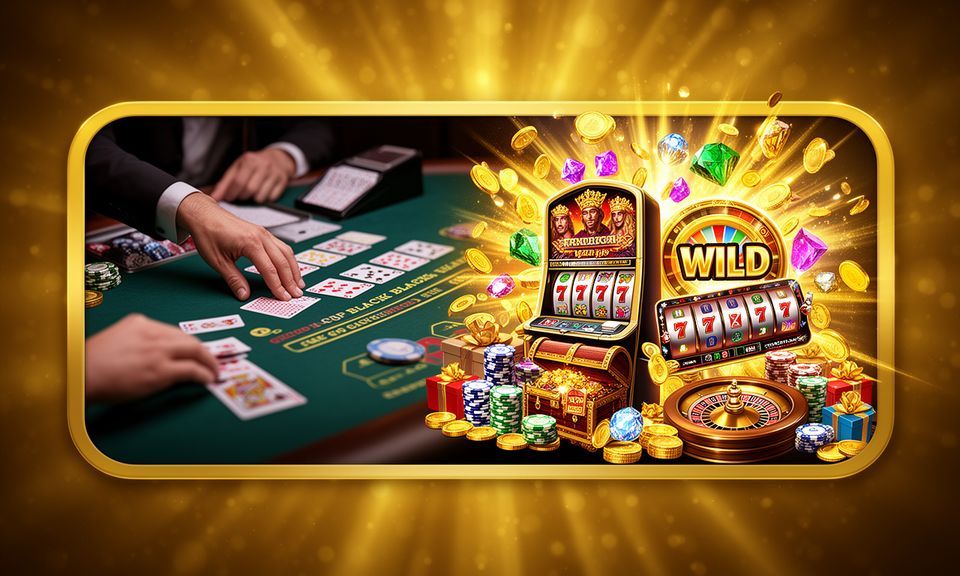
ul99 — Slots, Live Tables and Sportsbook with bKash, Nagad and Rocket
Deposit via bKash, Nagad or Rocket and you're inside the lobby in seconds — slots from Pragmatic Play, live casino tables streamed in real time, and cricket-led sportsbook markets all in one place.
ul99 · Bangladesh
Service availability depends on eligible regions and local law. Users should check local rules before opening an account.
Four Reasons to Open with ul99
We built this for Bangladesh — the lobby, the payment rails and the support channel all point the same way. Here's what that looks like in practice.
Local Wallet Access
Fund your account with bKash, Nagad or Rocket without a bank card. The wallet you already use on your phone is the one that gets you into the lobby.
Cricket and Live Sports
Follow BPL and international cricket in the sportsbook. Markets update in play so you can act on what's happening, not just what's scheduled.
Full Game Lobby
Slots from PG Soft and Pragmatic Play, live baccarat and roulette tables from Evolution, crash games like Aviator — all reachable from the same account.
Mobile-First Layout
The app and mobile browser version load the full lobby. Switch between live tables and slots without leaving the page, on Android or iOS.
What's Running for Your Account
We keep active offers on the promo board for account holders. Check the offers section after logging in to see what's available for your wallet type and the games you play.
This block is informational and does not process deposits or real transactions.
Account access depends on active terms and eligible regions.
Slots, Live Casino and Sportsbook in One Account
The ul99 lobby covers three main areas. Slots run from studios including Pragmatic Play, PG Soft and Hacksaw Gaming — titles like Gates of Olympus, Mahjong Ways and Sweet Bonanza sit in the same row as our own featured rooms. Live casino tables are streamed by Evolution and include Live Roulette Wheel, Live Cricket Stadium and Blackjack TableChamp. RTP figures are shown where the game provider exposes them; we don't publish figures the provider hasn't confirmed. The sportsbook sits in a tab beside the casino so you can move between a Crash Zone session and a live cricket market without signing in again.

Slot Heroes
Easy Deposit Options

Roulette Royale
Blackjack TableChamp

Live Cricket Stadium

Football ScoreLine
Bangladesh Rocket Help 511

Live Roulette Wheel
bKash, Nagad and Rocket at the Cashier
Every deposit method we support is built around the wallets Bangladesh players already carry on their phones. Here's how each one works at the ul99 cashier.
Open your bKash app, enter the ul99 merchant number shown at the cashier, send the amount and confirm with your PIN. The deposit registers on your account once the transaction clears on the bKash network.
Use the Nagad app or USSD to transfer to the account number displayed at checkout. Nagad transfers typically reflect quickly; your account balance updates as soon as the transaction is confirmed.
Rocket payments follow the same path — open the app, use the number shown, enter your PIN. Withdrawals back to Rocket go through a wallet-verification step before the amount is released.
Bank transfers are available for larger amounts. Processing times are longer than mobile wallets; the cashier shows the account details and estimated clearing window before you submit.
ul99Get the ul99 App on Android or iOS
The ul99 app puts the full lobby on your phone — live tables, slots and the sportsbook load the same way they do on desktop. Android users can download the APK directly from this site; iOS users access the same lobby through the mobile browser with an Add to Home Screen shortcut that behaves like a native app. Players in Dhaka reach the live tables in a few taps without switching between windows. Notifications for your deposit confirmations and offer updates come through the app so you don't have to check manually.
Support When Your Account Needs It
Our support team handles account access, wallet verification and deposit questions. If your bKash or Nagad transaction hasn't reflected, or you need help confirming a withdrawal to Rocket, reach us on live chat or by email. We aim to respond to wallet-related questions faster than general enquiries — those hold up your funds, so we prioritise them. Language support covers English and local Bangladesh context so you're not translating casino jargon to explain your problem.
Live Chat
Available directly from the ul99 site and the mobile app. Start a chat from the account menu; the agent can see your transaction history so you don't have to describe the full sequence from scratch.
Email Support
Send wallet screenshots and transaction IDs to the support address in your account dashboard. Email suits withdrawal verification steps where you need to attach documents rather than describe them verbally.
FAQ and Help Centre
The help section covers bKash deposit steps, Rocket withdrawal timelines, account login recovery and common cashier questions — check there first for the fastest path to an answer.
Four Steps from Registration to First Game
Opening an account and making your first deposit takes a few minutes. The process is designed around mobile wallets — you don't need a credit card or a long verification form to reach the lobby. Here's the path from landing page to first game.
Download the Android APK from ul99 or use the mobile browser. Desktop works too — the same account opens on any device.
Fill in your username, password and contact number. Confirm with the OTP sent to your phone. The account is active immediately after verification.
Go to the cashier, choose bKash, Nagad or Rocket, and follow the transfer steps shown. Your balance appears on your account once the wallet transaction confirms.
Pick a slot room, a live table or a sportsbook market. Your wallet balance is visible in the account chip row throughout the session.
A Short Glossary for New Account Holders
If you're new to online casino or sports betting, a few terms come up repeatedly. Here's what they actually mean in the context of ul99 and the games we carry.
A wagering requirement is the number of times you must bet a bonus amount before it converts to withdrawable cash. For example, a 10x requirement means betting the bonus ten times total before you can request a payout.
RTP stands for Return to Player — the percentage of total bets a slot pays back over many rounds on average. A 96% RTP means 96 of every 100 wagered is returned over time, in theory. We show RTP only where the game provider publishes it.
Volatility describes how a slot pays out. High volatility means fewer wins but larger amounts when they hit. Low volatility means smaller, more frequent wins. Gates of Olympus is a high-volatility title; many Pragmatic Play base games sit in the medium range.
Rollover means the same as wagering requirement — the number of times a bonus must be played through before withdrawal. The cashier or promo board shows the rollover for each active offer on your account.
A cashout is when you move funds from your account balance to your wallet. On ul99, withdrawals to bKash, Nagad or Rocket go through a wallet-verification step; bank transfers take longer and may require ID confirmation.
An accumulator combines multiple match selections into one bet. All selections must win for the bet to pay. More selections means a higher combined return but also a higher chance of the bet losing on one result.
KYC stands for Know Your Customer — the identity verification step where you confirm your account with your name and contact details. It is usually triggered before a first withdrawal or when account limits are reviewed.
What You Asked About ul99
Here are the questions we get most often from new and returning account holders.
Platform at a glance
| Game providers | Pragmatic Play, Evolution, Spribe, Play'n GO |
|---|---|
| Game categories | Live Casino, Slots, Sportsbook |
| Sports betting | Included |
| Accepted currency | BDT |
| Payment methods | bKash, Nagad, Rocket, Upay, Bank Transfer |
| Customer support | Live chat and email |
Open Your ul99 Account Today
Your bKash, Nagad or Rocket wallet is all you need to get started. Create your account, add funds at the cashier and the full lobby opens — slots from Pragmatic Play and PG Soft, live tables from Evolution, and cricket sportsbook markets for BPL and international fixtures. Access is subject to your local law and eligible regions; where it's available, we've kept the path from wallet to game as short as possible. Open your account from this page or download the app and see what's inside.